Friday, 18 February 2022

Firewall project - PfSense and Zabbix

I started a small project focused on network security, monitoring, and modern firewall solutions. The main goal was to evaluate pfSense as a replacement for my Cisco ASA firewall and to build a flexible platform for future home lab development.

As an open-source enthusiast, I found pfSense to be an excellent solution for both home labs and small to medium-sized businesses. It offers many enterprise-level features without the high cost of commercial firewall appliances.


Cyberoam CR25wiNG (router/firewall)

The original operating system was replaced with pfSense, which became the main router and firewall for the project. The following services were deployed:

  • Router-on-a-Stick VLAN configuration
  • Snort (IDS)
  • Tailscale (VPN)


Dell Wyse 5060 (mini-pc)

A Debian Linux installation was used to provide additional network services, including:
  • AdGuard Home (for local DNS filtering)
  • Syncthing (for secure file synchronisation)


Cisco Catalyst 2960G (managed switch)

The switch was configured with basic VLAN support, while inter-VLAN routing was handled by pfSense. 


Raspberry Pi

A dedicated Raspberry Pi was used to deploy Zabbix Server for infrastructure monitoring.

To create a more realistic test environment, I also connected my Dell R210 II servers and a Windows laptop to the network. This allowed me to monitor multiple systems and services while testing the firewall and network configuration.


By the end of the project, I was convinced that pfSense could successfully replace my Cisco ASA firewall. Many of the technologies tested here later became part of my larger home lab infrastructure and formed the foundation for future networking and security projects.


Thursday, 16 December 2021

Home Lab 2021 – Virtualization, Containers and Automation

I decided to redesign my home lab to focus on virtualization, containers, automation, and infrastructure monitoring. The main goal of this project was to build a more flexible environment for learning modern IT technologies while preparing for future high availability and clustered services.


Dell R210 II x2

Servers became the core of the new infrastructure. Both servers were upgraded with RAM, SSD (OS) and HDD storage for virtual workloads

Proxmox VE was deployed as a cluster, creating the foundation for future high availability. At this stage, the environment was not yet configured for HA because a minimum of three servers is required. The long-term plan was to add a third node and build a Proxmox HA cluster with Ceph distributed storage.

Due to the hardware specifications, Linux LXC containers became the preferred solution for running services, while selected Windows virtual machines were planned for future deployment.


HP Microserver G7 N54L

The server from the 2018 project was completely redesigned and repurposed as a Debian Linux NAS. The storage configuration included: 

  • RAID1 with two SSD drives for the operating system and LVM management
  • RAID6 with four 1TB hard drives for data storage, providing protection against the failure of up to two disks
Windows Server 2019 Active Directory and Windows 10 clients were moved from physical hardware to virtual machines running on Proxmox.


Network Equipment
  • Cisco ASA 5510 Firewall (upgraded with a Cisco 4GE SSM Gigabit/SFP module)
  • Cisco Catalyst 2960G
  • TP-Link TL-WR841N (running OpenWrt as a wireless access point)
  • Hikvision CCTV recorder
  • Lenovo S400 laptop (used as a dedicated Zabbix monitoring server)
  • New 8U rack cabinet
  • Cat5e patch panel and PDU

New Technologies
This project introduced several important technologies into the home lab:
  • Proxmox Virtual Environment
  • Infrastructure monitoring with Zabbix
  • Ansible automation

This is a step forward building a modern self-hosted infrastructure based on virtualization, monitoring and automation.


Saturday, 26 January 2019

Home Lab 2019 – Network Rack

Finally put some work towards finishing my home network.I decided to expand my existing home server project and build my first complete network rack environment. The goal of this upgrade was to improve network organization.

In this project, I handled the cabling, set up the rack equipment, and got the network infrastructure up and running.

Hardware
HP Microserver G7 N54L (existing server from the 2018 project)
Cisco ASA 5510 Firewall
Linksys SR216
Linksys WRT54GS
Hikvision NVR-104-A-4P
Cat5e Patch Panel
Power Distribution Unit
6U 19” Network Cabinet

Network and Infrastructure
The Cisco ASA 5510 was configured as the main edge firewall and router for the home network. It handled:
  • DHCP and DNS services
  • NAT/PAT
  • Basic ACL firewall rules
The Linksys WRT54GS running OpenWRT was used as a wireless access point, while the Hikvision NVR provided CCTV monitoring and recording.


Tuesday, 9 January 2018

Home Lab 2018 - The Perfect Small Business Server

This project was one of the first major steps in building my home lab environment. The goal was to recreate a small business server infrastructure based on my real professional experience as an IT Technician.

At work, I previously deployed a Debian Linux server as an additional Active Directory Domain Controller for an existing Windows SBS 2008 R2 environment. In this project, I decided to go one step further and build a complete small business infrastructure based entirely on Linux Ubuntu Server 16.04 LTS and Samba4.

Hardware:

  • HP Microserver G7 N54L
  • 120GB Kingston SSD (Operating System)
  • 2x 320GB WD SATA drives (RAID1 data storage)
  • 2x 8GB Kingston DDR3 ECC RAM
Software and Services:
  • Ubuntu Server 16.04 LTS
  • Samba4 Active Directory Domain Controller
  • DNS and NTP services
  • Group Policy Management (GPO)
  • Roaming Profiles
  • RAID1 storage
  • Backup services
  • NextCloud private cloud
  • CUPS print server
  • Active Directory Users and Computers
  • DNS Management
  • Group Policy Management

The server was configured as the main Active Directory Domain Controller using Samba4. I created domain users, shared folders, roaming profile paths, and centralized authentication for Windows clients.

Windows clients were joined to the domain, and I used RSAT tools from Windows workstations to manage services such as:

From time to time, I also used the samba-tool command-line utility directly on the Ubuntu server for administration tasks.

After the domain environment was working correctly, I deployed NextCloud on the same server and integrated it with Samba4 and Active Directory authentication. This allowed domain users to access their files both through standard network shares and through the NextCloud web interface.

The final step was deploying a CUPS print server and sharing a network printer for domain users.

This project helped me better understand Linux administration, Active Directory concepts, Samba4 integration, centralized management, and self-hosted infrastructure. 


Sunday, 24 December 2017

Thursday, 16 November 2017

Building Local Area Network's

I am very grateful for the opportunity to participate in the CCNA (ITN) Module 1 training. Below is a draft version of the LAN's project (click on the image below to open the PDF).
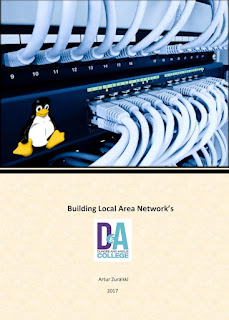


https://www.dropbox.com/s/ft2jw5ibr7813rk/Building_Lans_A_Zuralski.pdf?dl=0